/From scattered clues to clear next steps

Your store is giving you clues. /cro turns them into a plan.

Shopify, GA4, ads, heatmaps, and support tickets all tell part of the story. /cro connects the signals, explains what matters, and helps you decide which conversion move to make first.

Today's Reality

x close icon
Shopify, GA4, and ad platforms rarely tell the same story
x close icon
You can see revenue move, but not always why
x close icon
Funnel drops, traffic shifts, and tracking issues blur together
x close icon
Store context lives across tools, people, and old decisions
x close icon
Good opportunities get missed because there’s no time to dig

With /cro

See where conversions dropped, stalled, or underperformed
Connect changes across your store, traffic, tracking, and offers
Know whether the data is trustworthy before you act
Get plain-English explanations backed by evidence
Prioritize the next best move by impact, effort, risk, and confidence

Less dashboard-hopping. Fewer false starts. More confident conversion moves.

Get early access →
July launch • first month free
How /cro helps

The smarter way to improve your store conversions

/cro connects your funnel, store context, tracking health, and CRO expertise so you can see what changed, what matters, and what to improve next.

Know what to fix first, not eventually.

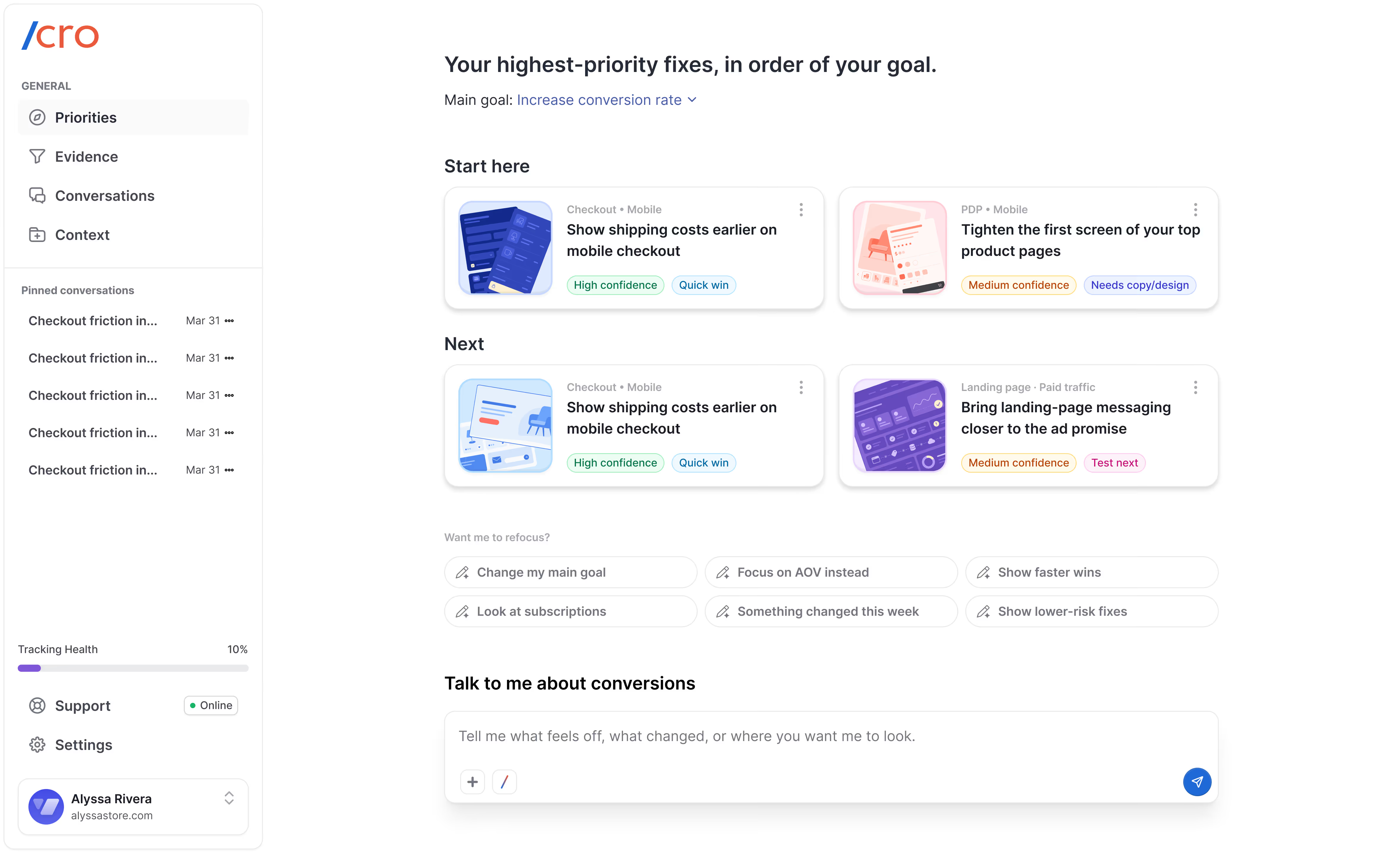
/cro ranks your highest-priority conversion opportunities based on your goal, so you can see what deserves action now, what can wait, and what needs more evidence.

See prioritized fixes →
User interface showing priority tasks to increase conversion rate, including tightening product images on mobile and showing shipping costs earlier.User interface showing priority tasks to increase conversion rate, including tightening product images on mobile and showing shipping costs earlier.
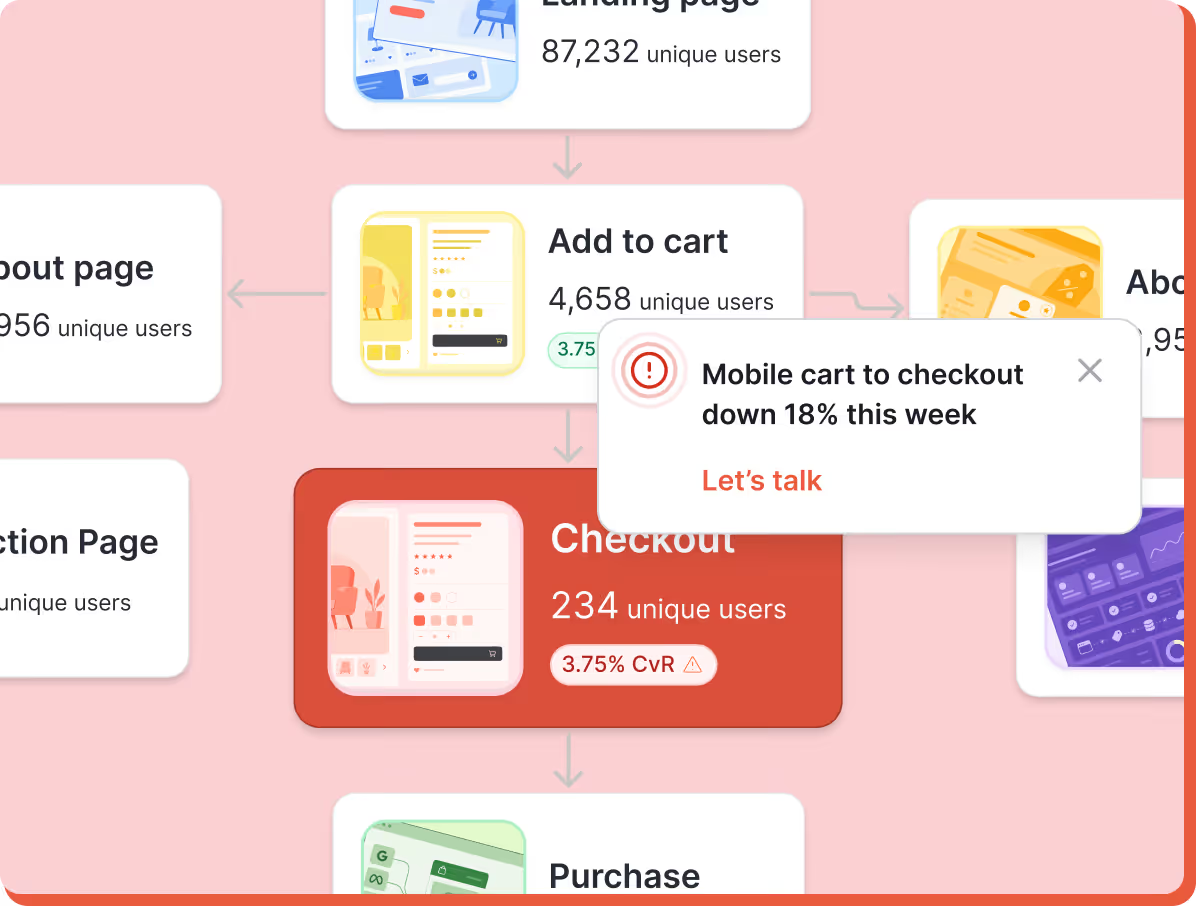
Flowchart showing user progression from Add to cart with 4,658 users to Checkout with 234 users and a warning that mobile cart to checkout is down 18% this week.

See where conversions are changing.

When sales drop or growth stalls, /cro shows the exact funnel step that changed across product pages, cart, checkout, device, traffic source, and landing page.

Find the funnel leak →
Flowchart showing user progression from Add to cart with 4,658 users to Checkout with 234 users and a warning that mobile cart to checkout is down 18% this week.

Guidance that understands your store.

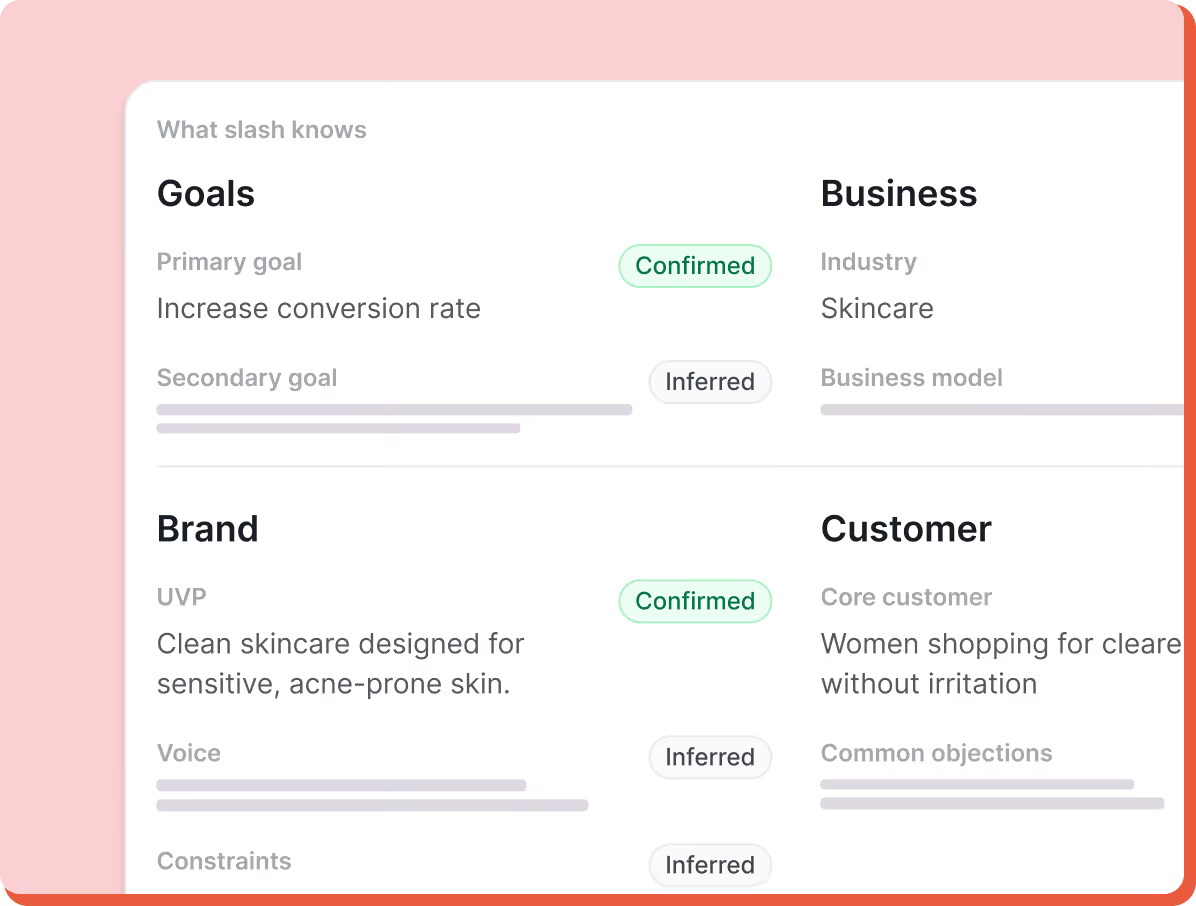
/cro learns your products, goals, brand voice, customer objections, competitors, documents, past decisions, and constraints, so every recommendation feels specific to your business.

Build your store context →
Dashboard showing confirmed primary goal to increase conversion rate in skincare industry, and confirmed brand UVP for clean skincare for sensitive acne-prone skin.Dashboard showing confirmed primary goal to increase conversion rate in skincare industry, and confirmed brand UVP for clean skincare for sensitive acne-prone skin.
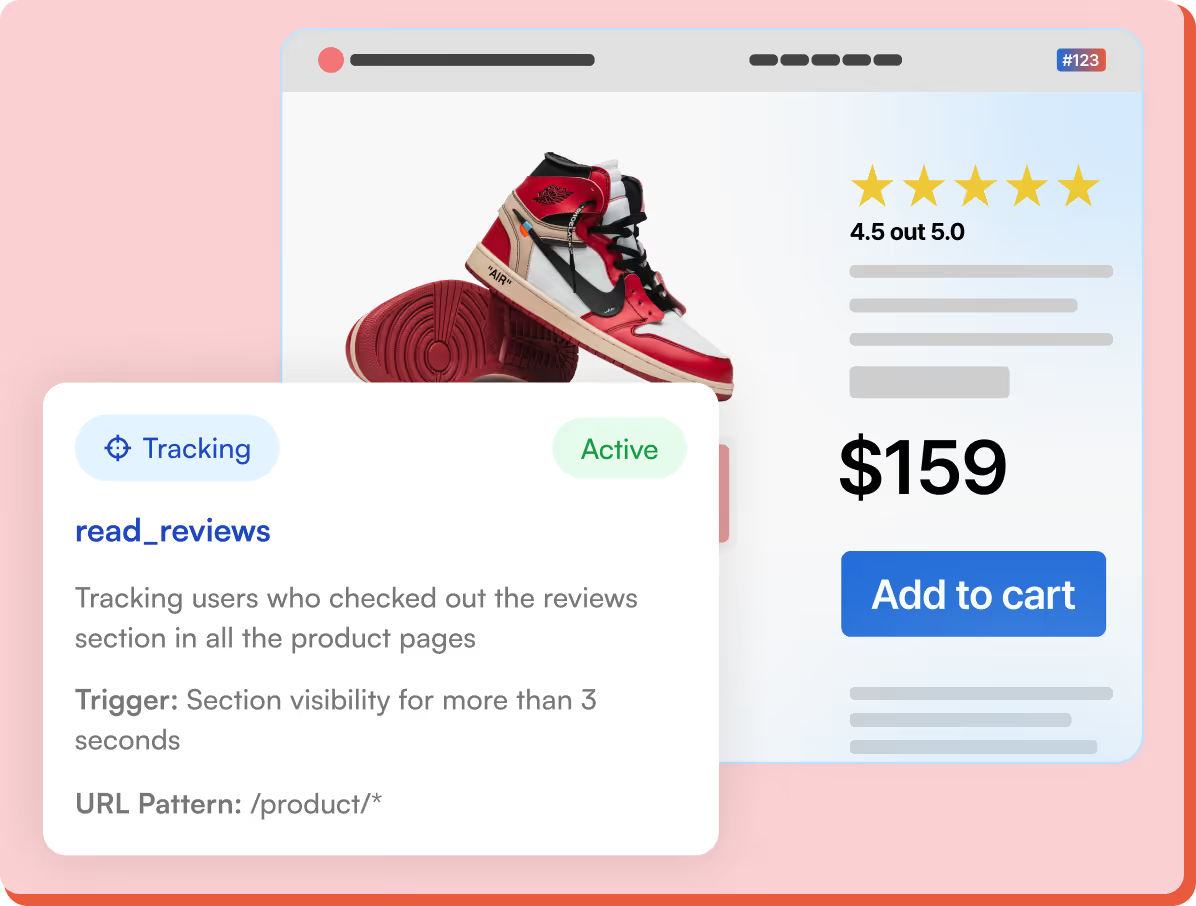
Product page showing a red, white, and black sneaker with a 4.5-star rating, priced at $159 with an Add to cart button, alongside a tracking pop-up detailing read_reviews tracking active for product pages.

Trust the signal before you act.

/cro checks Shopify, GA4, pixel events, and tracking gaps so you know whether a recommendation is backed by reliable data or needs more evidence first.

Built on your store's context →
Product page showing a red, white, and black sneaker with a 4.5-star rating, priced at $159 with an Add to cart button, alongside a tracking pop-up detailing read_reviews tracking active for product pages.
Built to do the heavy lifting

More than a dashboard.
A conversion system that keeps working.

/cro watches your store, learns your context, checks the data, and turns recommendations into next steps you can actually act on.
24/7 conversion watch

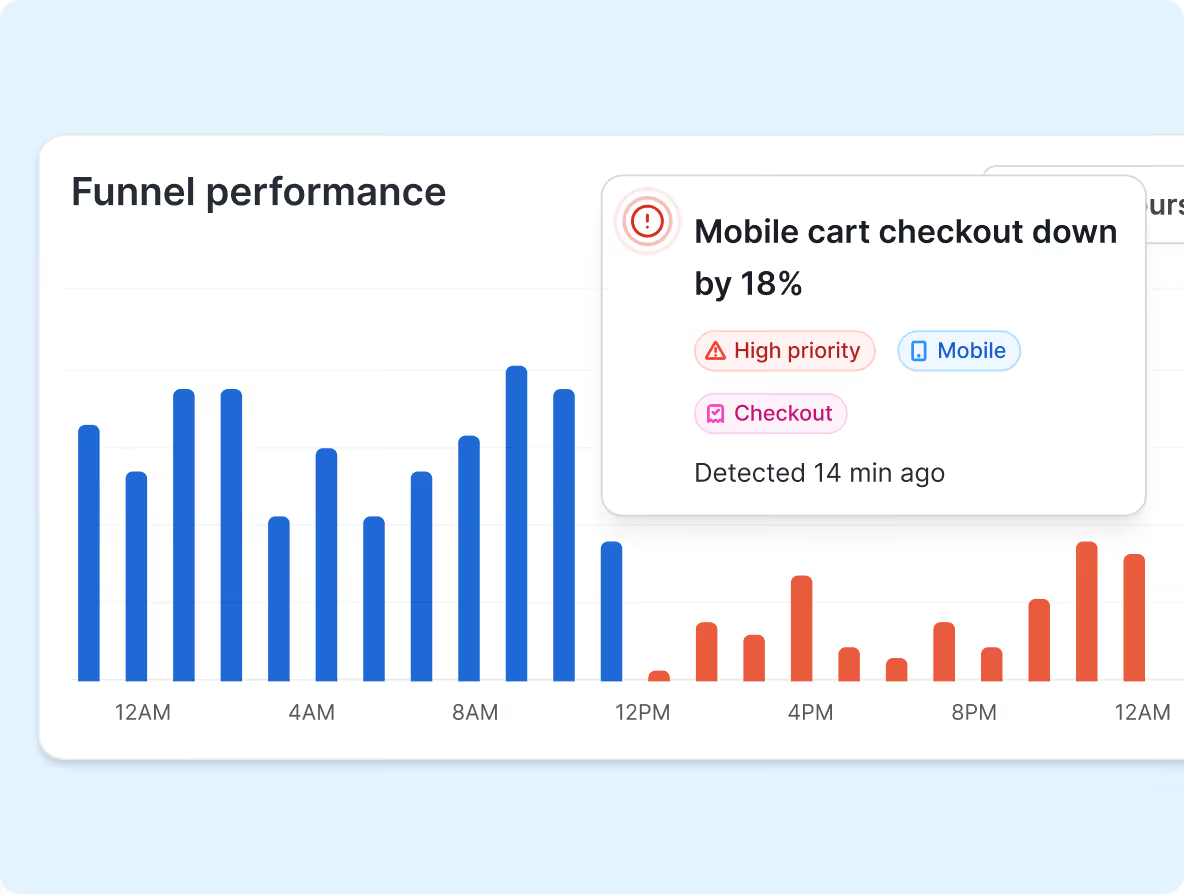
Always watching for meaningful changes in your funnel, traffic, offers, and tracking.
Bar chart showing funnel performance with blue bars from 12AM to 12PM and orange bars from 12PM to 12AM, accompanied by a notification indicating mobile cart checkout is down by 18%, marked as high priority and detected 14 minutes ago.

Persistent store memory

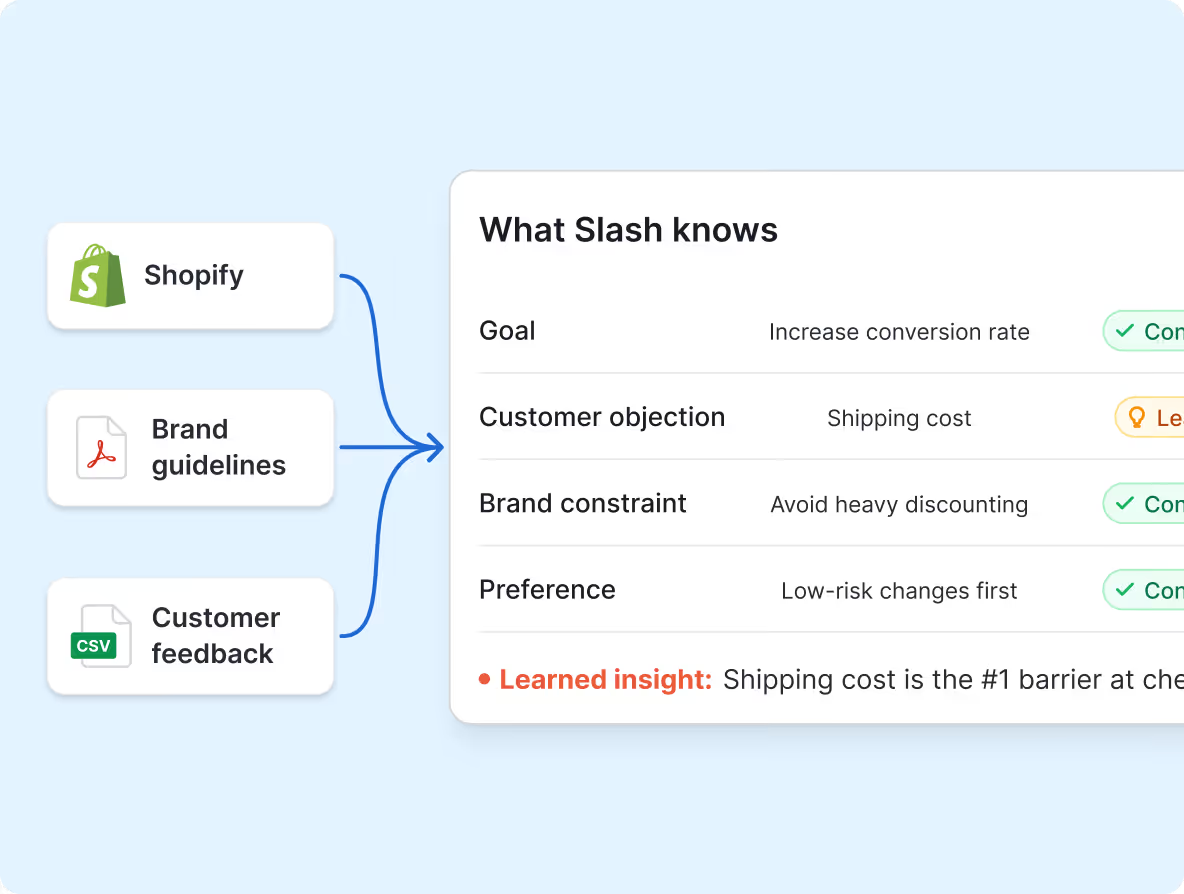
Every source, scan, document, and conversation makes Slash more specific to your business.
Diagram showing inputs from Shopify, Brand guidelines, and Customer feedback leading to insights Slash knows: goal to increase conversion rate, customer objection about shipping cost, brand constraint to avoid heavy discounting, preference for low-risk changes, and a learned insight that shipping cost is the top barrier at checkout.

Data health checks

Know when the signal is reliable, what needs, attention, and when you should act.
Dashboard showing signal confidence at 82% with Shopify connected, Pixel active, and GA4 not connected, checked 12 minutes ago.

Chat with your CRO expert

Ask what changed, why it matters, what to test, or what to fix, like you would ask an expert.
Chat message asking why sales dropped, response explaining checkout slowdown due to new application installation with buttons to show evidence or create a plan.

Source uploads

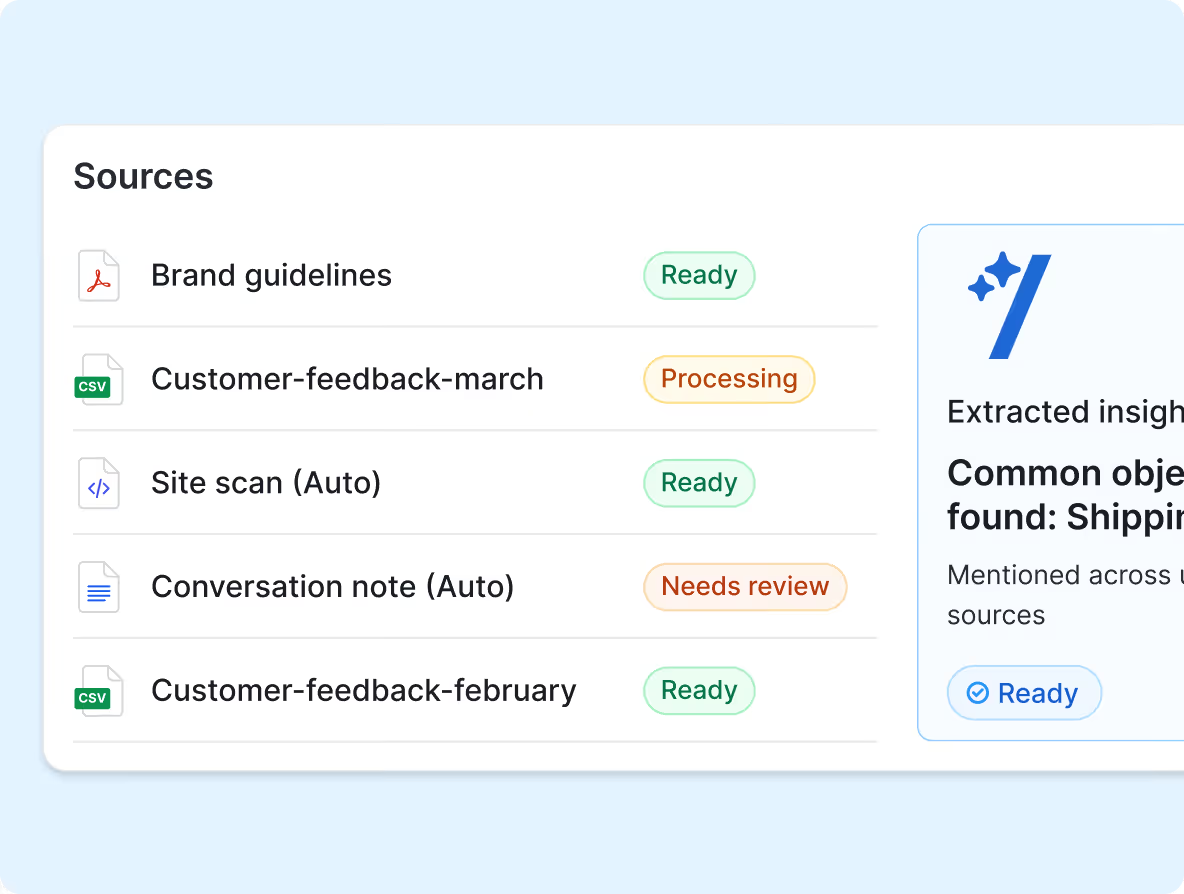
Add brand docs, customer feedback, research, competitor notes, and past decisions.
List of source files with status indicators: Brand guidelines ready, Customer-feedback-march processing, Site scan (Auto) ready, Conversation note (Auto) needs review, Customer-feedback-february ready.

Plans and follow-ups

Turn recommendations into next steps, reminders, and shareable action plans.
Action plan titled Fix plan with tasks: update cart copy, implement using checkout blocks, QA mobile checkout, watch checkout completion for 7 days, each with status labels and owner Alyssa, follow-up Friday.
Join the Waitlist →
July launch • first month free
How it works

From connected store to clear next move.

/cro connects to Shopify, learns how your store works, and turns funnel changes into prioritized conversion moves you can act on with confidence.

1

Connect your store

Connect Shopify, set your goal, and let /cro scan your storefront, products, checkout flow, and tracking setup.
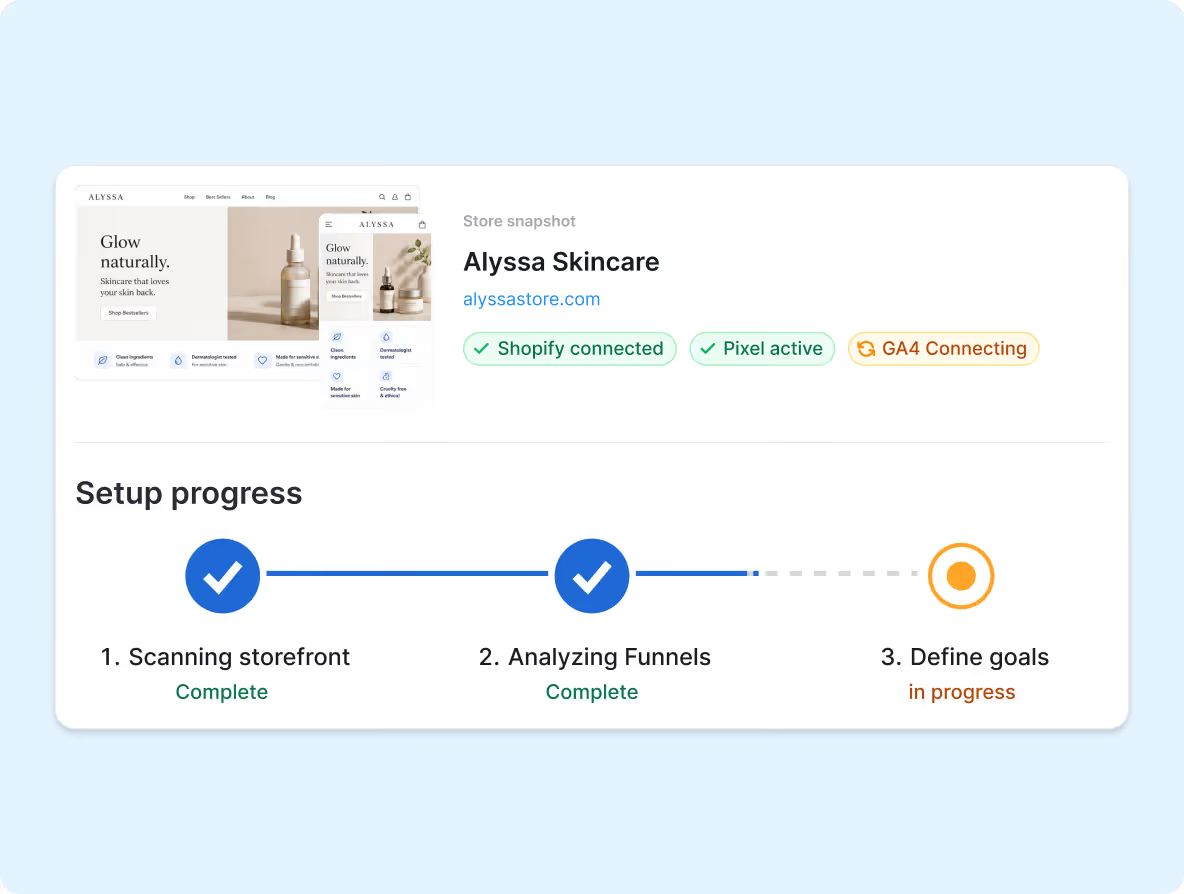
Dashboard showing Alyssa Skincare store snapshot with Shopify connected, Pixel active, GA4 connecting, and setup progress with scanning storefront and analyzing funnels complete, define goals in progress.
2

Slash learns your business

/cro builds context around your goals, products, customers, brand constraints, competitors, and recent store changes.
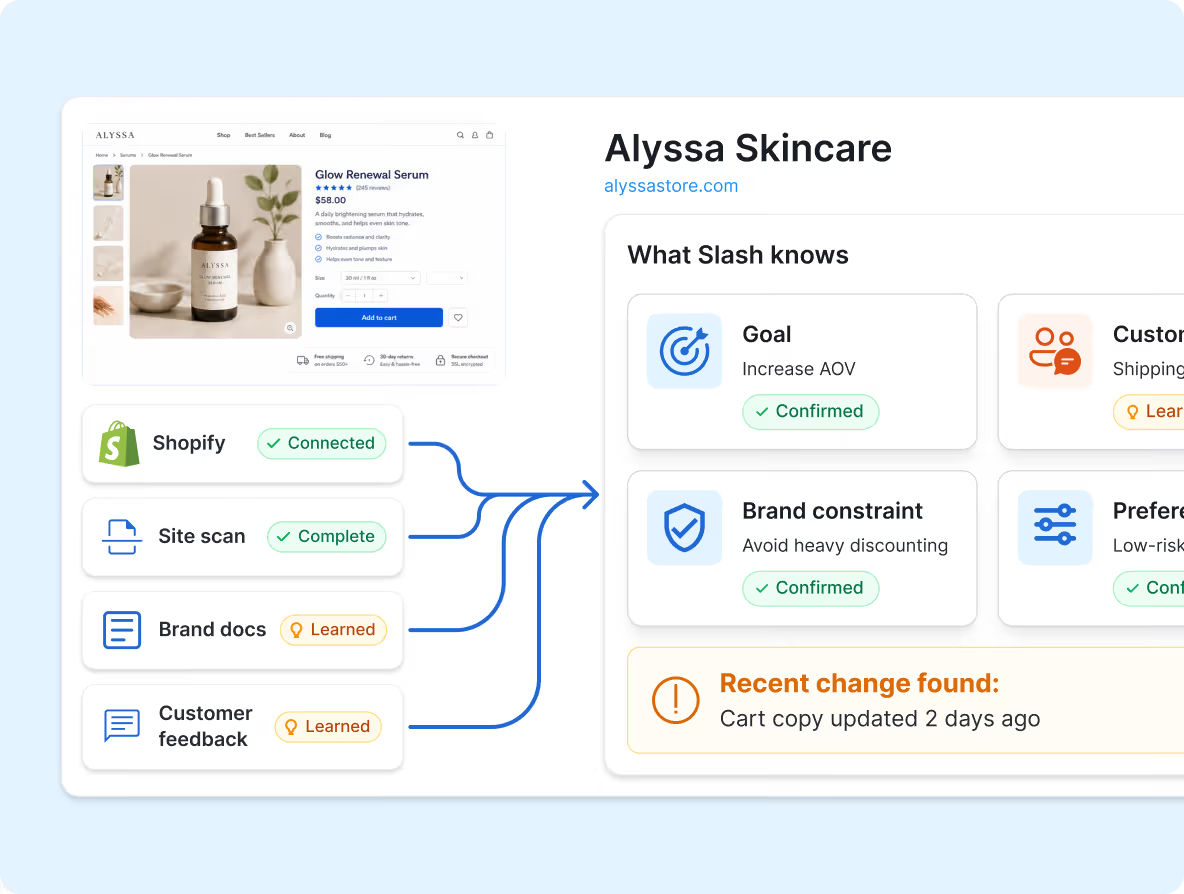
Dashboard showing Alyssa Skincare data with Shopify connection, site scan complete, brand docs and customer feedback learned, confirming goals and brand constraints.
3

Act on the next best move

See where conversions changed, why it likely happened, how confident the signal is, and what to fix first.
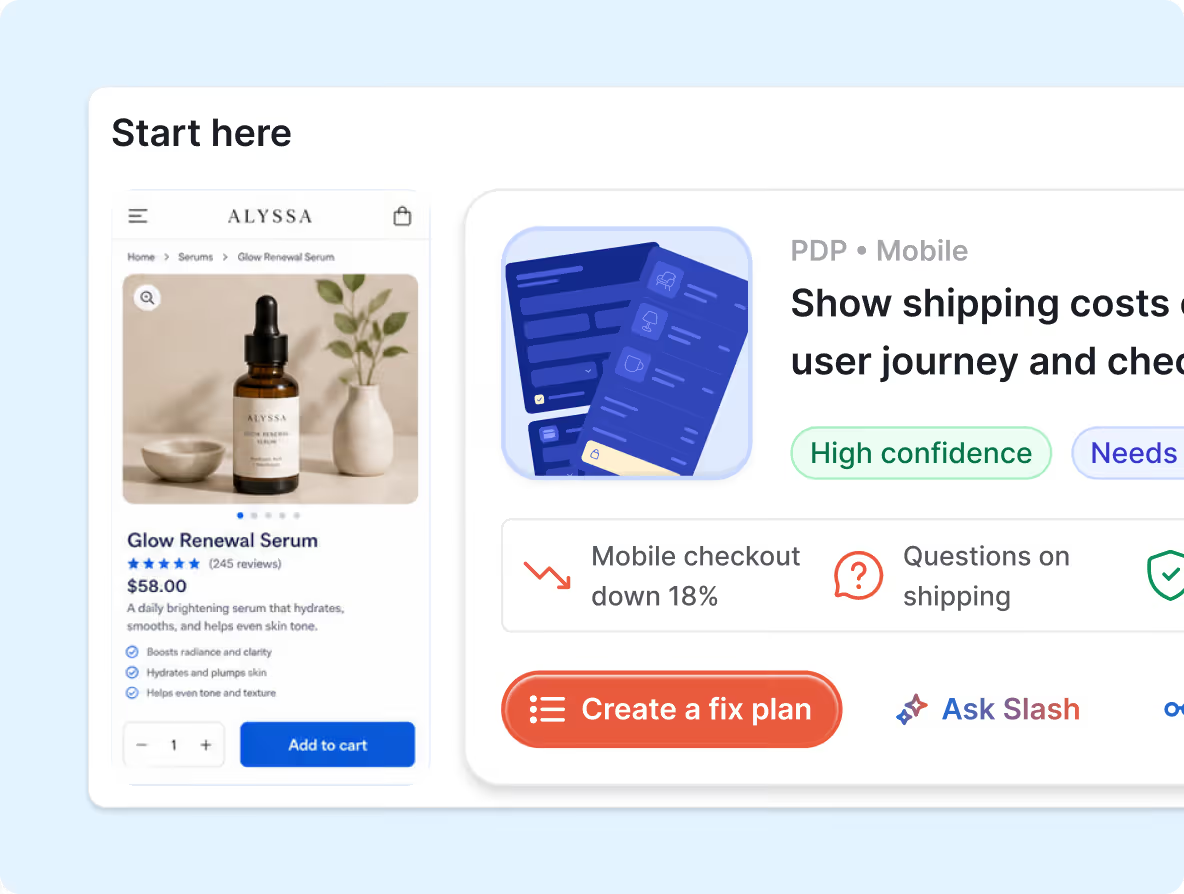
Mobile screen showing a product page for Glow Renewal Serum priced at $58 with an 'Add to cart' button, alongside a card highlighting a 18% drop in mobile checkout and options to create a fix plan or ask questions about shipping.
Join the Waitlist →
July launch • first month free
Why trust /cro

Built by people who have done the CRO work /cro automates.

/cro is new, but the thinking behind it comes from years of auditing Shopify stores, fixing tracking, improving UX, and turning messy data into clear conversion decisions.


$250M+

in additional revenue from winning A/B Tests

100+

eCommerce stores audited for conversions

20,000+

CRO recommendations delivered
Experience behind /cro includes work with
her fantasy box logo
Omnilux logo
retrospec logo
Juvenon logo
Lawn Chair USA logo
Mobilo logo
Joseph Nguyen logo
Skin Grip logo
Wig dealer logo
Salty captain logo
Annabella logo
mifold logo

So /cro is not trained to give generic CRO tips. It is built around the same questions we ask in real audits: where did the funnel change, what caused it, and what should you fix first?

Join the Waitlist →
July launch • first month free
FAQs

Questions founders usually ask before joining

Here are the basics on how /cro works, who it’s for, and what to expect when we launch.

What is /cro?
How does /cro help improve Shopify conversion rates?
How can I tell where shoppers are dropping off on my Shopify store?
What should I do if my Shopify conversion rate suddenly drops?
Is /cro only useful when conversions drop?
Does /cro replace GA4, Shopify analytics, or Hotjar?
Do I need a developer or Google Tag Manager to use /cro?
What happens after I join the waitlist?

Still have questions? Ask our founder directly.

If you want a second opinion, want to know if /cro is a fit, or want me to take a quick look at your store, send me a note. I’m happy to personally reply.

Email Edu and ask about your store
He will respond in less than 24 hours
edu@slashcro.ai →
Built to do the heavy lifting

Get early access to /cro

Join the waitlist for the AI CRO expert that helps Shopify stores find what's holding conversions back, trust the signal, and know what to fix next.

Get a 30-day free trial when /cro launches
Join an exclusive group shaping the product if selected for early access.
Your feedback will shape future developments.

Join the waitlist

Tell us where to send your invite and which Shopify store you want /cro to learn from.
No credit card required
No Spam
No training required
Thank you! Your submission has been received!
Oops! Something went wrong while submitting the form.